
|
S(at)V(alue) Lookup |
 Where to find it:
 Add Adjustment Layer / Extension Pack / Color Correction /
 NodeGraph / Right Mouse Click / Nodes / Filter / Extension Pack / Color Correction /


The SV Lookup (short for 'Saturation/Value' ) Adjustment Node allows you to change Saturation and Value of Colors
along curves, effectively remapping the Saturation and Value separately.
Computation is done in Hue/Saturation/Value instead of the usual Red/Green/Blue.
|
Node Overview |
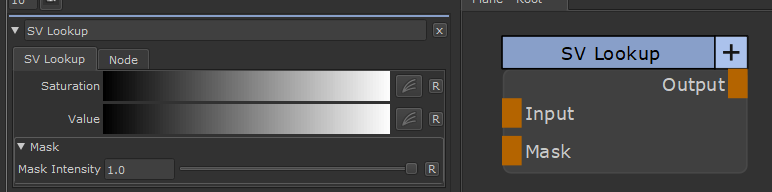
|
Node Ports |
•Input
The input to Adjust
•Mask
A Mask to define where the changes should appear. Defaults to white
|
Node Properties |
MAIN TAB