
|
Backface Mask by Jens Kafitz |
 Where to find it:
 Add Procedural Layer / Geometry / Extension Pack /
 NodeGraph / Right Mouse Click / Add Nodes / Geometry / Extension Pack /


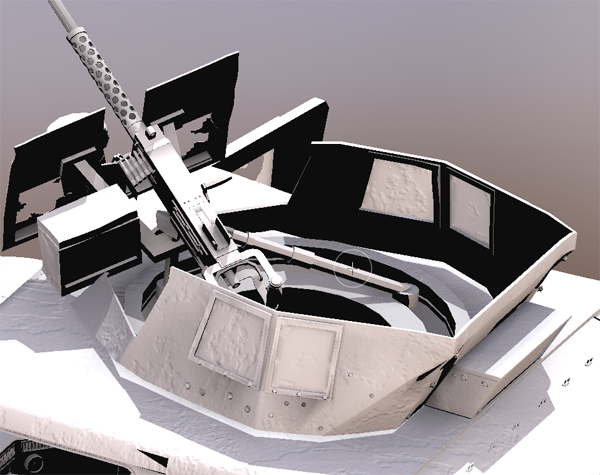
Backface Mask will try to create a mask based on opposite normals.
This is useful for example to isolate interior faces of clothing (think jacket lining)
Isolating interior faces of this gun turret using the Backface Mask:

•Manifold 3D
When mapped the world space position the node uses to calculate the projection is supplied by the port.
This can be used for example to apply warping to the projection using Manifold Nodes
MAIN TAB
•Backface Threshold
Will expand the threshold for what is considered interior faces
•Invert Faces
Inverts the Normal evaluation on your model - exterior faces will become interior ones and vice versa.