
|
Selection Fill by Jens Kafitz |
 Where to find it:
 Add Procedural Layer / Geometry / Extension Pack /
 NodeGraph / Right Mouse Click / Add Nodes / Geometry / Extension Pack /


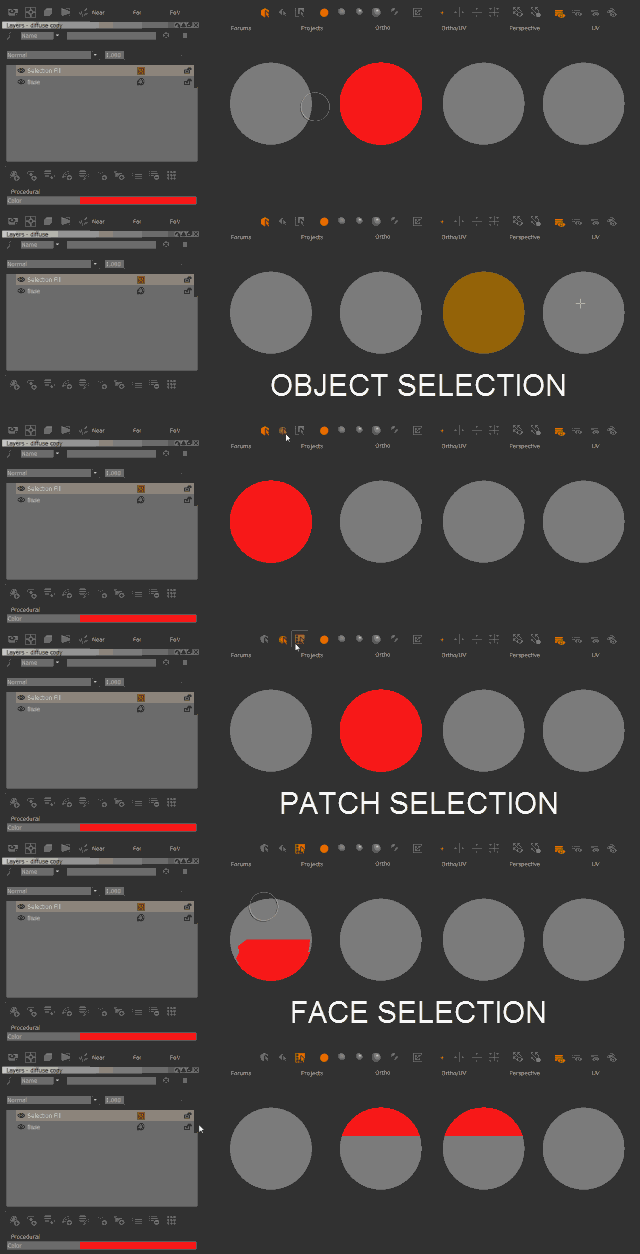
Selection Fill will fill your current selection with the color specified in the node.
Your current selection is determined by Mari's Selection Mode, such as Object, Patches or Faces:

The node will update the selection continuously based on the current one until it is 'baked' by choosing
'Convert to Paintable' or the channel it is in is flattened.
Filling a selection on the fly
If after running 'Convert to Paintable' you are seeing faint seams between UV Shells, run a Patches/Bleed Patch Edges on your layer

MAIN TAB
•Fill Color
The color to fill the current selection with
•Fill Unselected
If on, the node will fill the unselected areas of your model with the Unselected Color.
Otherwise unselected areas will remain transparent
•Unselected Color
The color to fill the currently unselected areas with if Fill Unselected is enabled