|
Rotating Lights |

Extension Pack adds the option to interactively rotate your lights (both Point Lights and Environment Light) directly from the viewport using hotkeys.
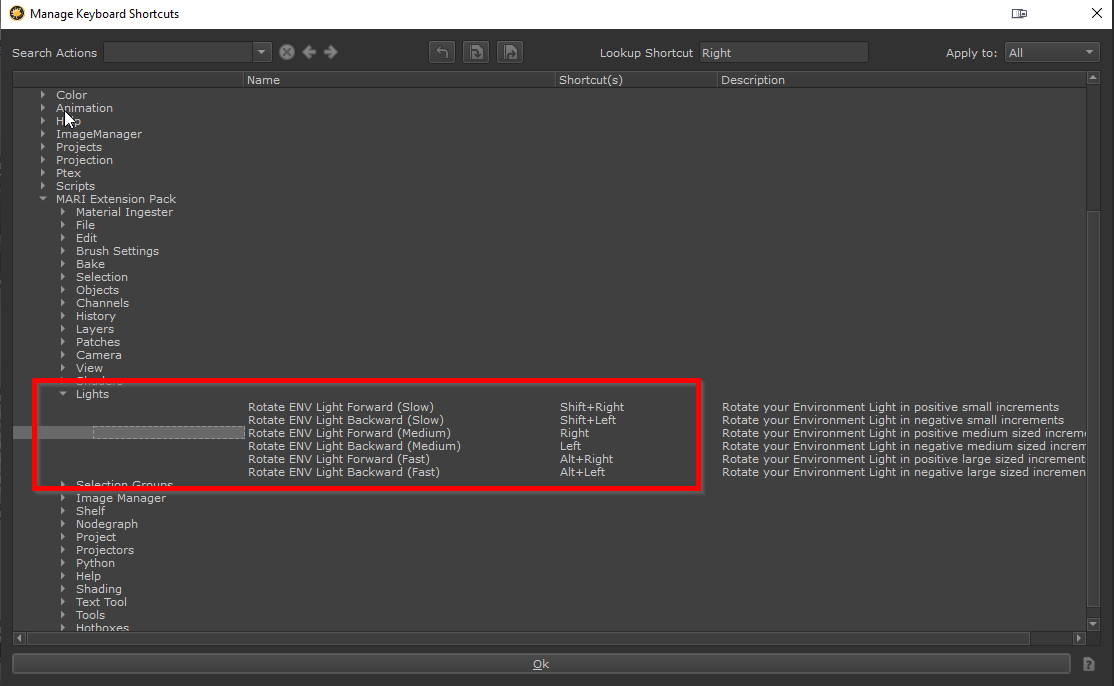
You can rotate the lights in 3 different customizable speeds.
|
|
Differences in Hotkey Behavior between Mari 6 and Mari 7 While in Mari 6 and Mari 7.0v1 you have to press the Hotkeys repeatedly, from Mari 7.0v2 on wards you can press and hold the hotkeys to rotate the lights |
oSlow Rotation: SHIFT + Arrow Left/Right
oMedium Rotation: Arrow Left/Right
oFast Rotation: ALT + Arrow Left/Right
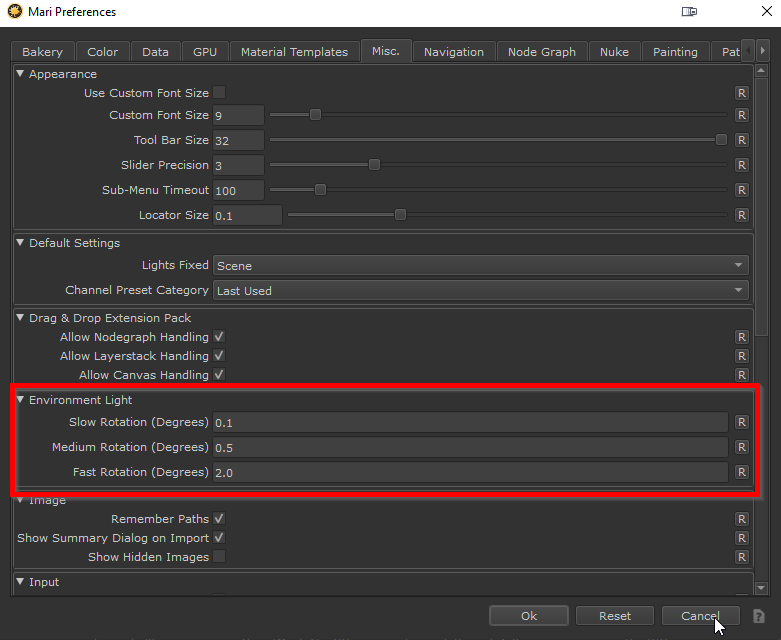
You can configure the rotation increments of the Light Rotation in the Mari Preferences / Misc Section:
You can change the default Hotkeys in the Hotkey Editor under the Extension Pack / Light Group: