
|
Input Switch X4 by Jens Kafitz |
 Where to find it: (This Node is available in the Nodegraph only)

 NodeGraph / Right Mouse Click / Add Nodes / Layer / Extension Pack /
|
|
This Node is also available as a version with 11 Inputs Input Switch X11 |


The Input Switch will switch between 4 Inputs based on a step value provided by the 'Case Selection' Connection
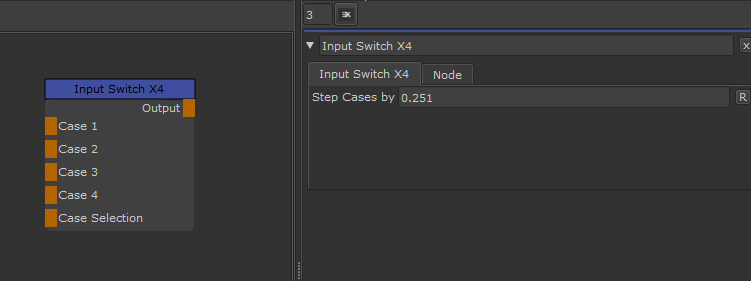
•Case 1 - 4
The different Inputs the Node will cycle through
•Case Selection
Provides the Value that is used to determine which Case (1,2,3 or 4) to output from the Node.
If nothing is attached to this connection Case A is used.
MAIN TAB
•Step Cases by
The Value Range between each Case.
By default a value of 0.25 is used meaning that on a Value range of 0-1 fed in via the Case Selection Connection
the node will output
 Case 1 for 0-0.25
Case 2 for 0.25 - 0.5
Case 3 for 0.5 -0.75
Case 4 for 0.75 - 1.0