|
Open with |
 Where to find it:
 Image Manager Palette / Right Mouse Click / Open with /
Main Window / Extension Pack / Image Manager / Open with /
Shortcut: (unassigned, use "Edit / Shortcuts" to assign)
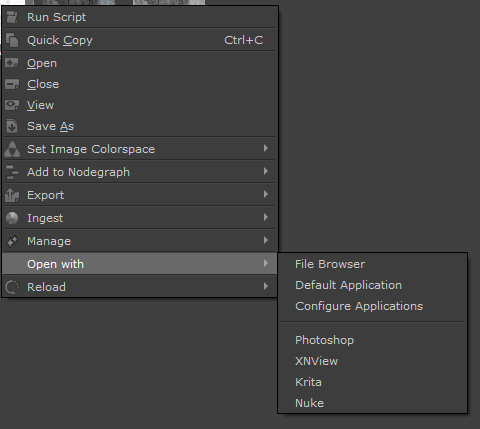
A new sub-menu 'Open with' has been added to the Image Manager Right Mouse Click Menu.
It allows you to open a selected image manager image in
▪Your File Browser
▪The Operating Sytem default application associated to the File Format
▪Up to 10 freely configurable applications
|
|
|
Example of using Open in App in combination with Reload to quickly edit Tileable Textures in Photoshop
|
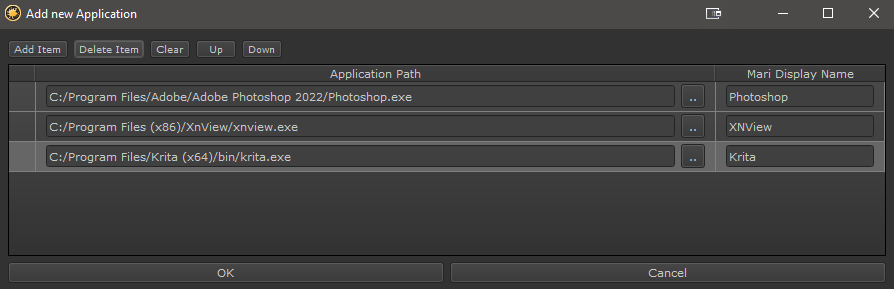
Configure Applications |
Configure Applications allows you to add any application to the Quick Access Menu of Open With.
Any Application that can be launched with a provided Image path can function as receiver e.g
adding Photoshop's Executable to the Application path List will, when launched, open Photoshop with
the command
oFilePath/Photoshop.exe [ImageFilepath]