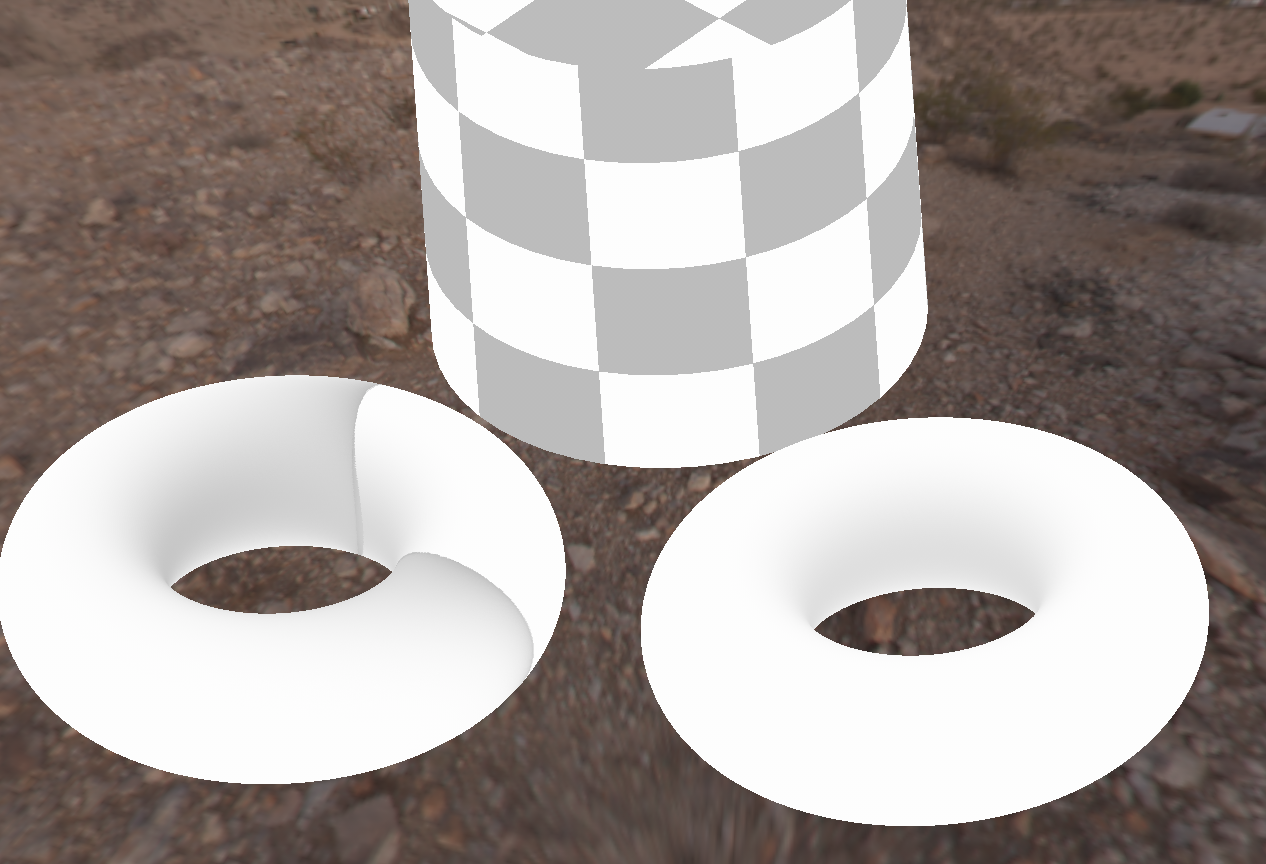
In the below example without matching Object A, B and C would all influence each other.
•If Object A is baked as a lowdef object while both Object A and Object B exist in the High Definition Object List,
Object A would receive e.g. Occlusion from Object B.
•If Object C is baked as a lowdef object at the same time as Object A, it would receive Occlusion from Object B as well.

By using the Matching you can limit the effect of Object B.
In the below Example Object B is matched to Object A.
Effectively we created a new, combined Object that lives in isolation from Object C.
If both Object A and Object C are getting e.g. an Occlusion baked
•Object A would cast Self Occlusion on itself
•Object B would cast Occlusion on Object A
•Object C would cast Self Occlusion, but not receive any occlusion from the neighboring Object Group

•Here we have our three mari objects. The Cylinder is intersecting the torus on each side

•We want to bake occlusion for both Torus Objects, but only one should be affected by the cylinder

•We add the cylinder to the High Def Mesh List

•In the General Settings we change 'Match' to 'By High Def Matching'

•A 'Match' Button now appears next to the Cylinder

•After clicking on the 'Match' Button we select which Object we want
the cylinder to affect

•The Match Button will be suffixed with a * and the link is now active. The tooltip will show the current matching

|
|
Right Mouse Clicking on a 'Match' Button allows you to copy the Match Settings of that Button to all other Match Buttons

|
•Moving the Cylinder we can see that only the torus on the left is affected by occlusion cast by the cylinder